
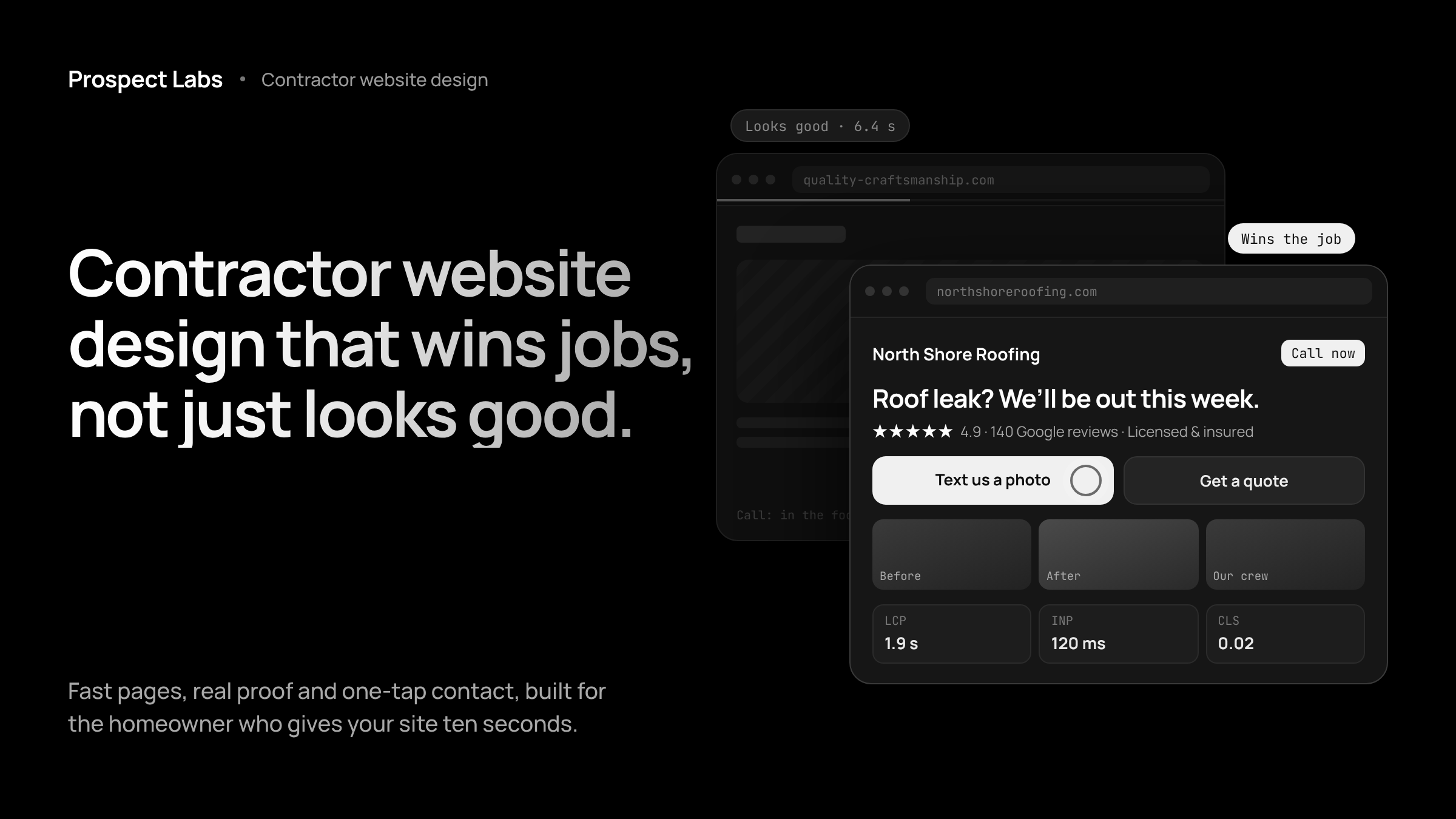

It’s 7:15 on a Tuesday evening. A homeowner in your service area has water coming through the bathroom ceiling. They search on their phone, open three contractor websites, and give each one about ten seconds.
One site loads slowly and shows a logo, a stock photo of a hard hat and a phone number buried at the bottom. Another has real job photos, 140 Google reviews, and a button that says “Text us a photo of the problem.” The homeowner taps it. That contractor gets the job.
Both contractors might do equally good work. Only one had a website built to win the job.
Quick answer: Contractor website design is the process of building a website that helps a trade business get found on Google, earn a homeowner’s trust in seconds, and turn a visit into a call, text or booked estimate. A good contractor site loads fast on a phone, shows real work and reviews, lists clear services and service areas, and makes contact effortless.
This guide breaks down exactly what that looks like in practice: the pages every contractor site needs, the numbers behind speed and trust, the mistakes that quietly cost you jobs, and how to tell whether your current site is pulling its weight. If you want the short version of how we approach it, see our contractor website design system.
What Is Contractor Website Design?
Contractor website design is web design built around how homeowners hire trades. It focuses on the things that decide a job: proof of good work, local relevance, fast mobile pages and an easy way to get in touch. A pretty site that ignores those four things is decoration, not a sales tool.
Here’s how it differs from general web design:
| General web design | Contractor website design | |
|---|---|---|
| Main goal | Brand image, information | Calls, texts and booked estimates |
| Primary visitor | Browsers, researchers | A homeowner with a problem, usually on a phone |
| Key proof | Polished visuals | Real job photos, Google reviews, license and insurance |
| Structure | A few general pages | A page per service and per service area |
| Contact | A form on the contact page | Tap to call and tap to text on every screen |
| After the visit | Nothing | Missed call text back, follow up, review requests |
The last row is the one most designers skip. We’ll come back to it.
Why Does Website Design Matter So Much for Contractors?
Because homeowners now check you out online before they ever call, even when a friend referred them. Your website and your reviews are the first impression, and the bar keeps rising. These numbers show where the pressure comes from:
| What homeowners do | The number | Source |
|---|---|---|
| Read online reviews for local businesses | 97% | BrightLocal, 2026 |
| Only consider businesses rated 4.5 stars or higher | 31% (up from 17% a year earlier) | BrightLocal, 2026 |
| Only care about reviews from the last three months | 74% | BrightLocal, 2026 |
| Won’t use a business with fewer than 20 reviews | 47% | BrightLocal, 2026 |
| Use AI tools like ChatGPT for local recommendations | 45% (up from 6%) | BrightLocal, 2026 |
| Abandon a mobile site that takes over 3 seconds to load | 53% | |
| Are far more likely to become a qualified lead if contacted within an hour | Nearly 7x | Harvard Business Review, 2011 |
Read that table as a homeowner’s checklist. Are you rated well? Are the reviews recent? Does the site load before they lose patience? Does anyone reply quickly? Your website is where all four questions get answered at once.
The AI number deserves a second look. When a homeowner asks ChatGPT or Google’s AI for “a reliable roofer near me,” those tools pull from websites that clearly state what you do, where you work and why people trust you. Vague sites with one generic services page give them very little to work with.
What Pages Does a Contractor Website Need?
A contractor website needs a homepage, a page for each core service, a page for each main service area, a reviews or proof page, an about page and a contact page. Each one answers a different question a homeowner has before they pick up the phone.
| Page | The homeowner’s question | What it must include |
|---|---|---|
| Homepage | “Can you help me, and can I trust you?” | Trade, service area, top reviews, one clear call to action above the fold |
| Service pages | “Do you do exactly what I need?” | One page per service (roof repair, roof replacement, gutters), photos, process, FAQs |
| Service area pages | “Do you work in my town?” | Real local detail, nearby jobs, town names, not copy pasted text with the city swapped |
| Reviews and work | “Is your work actually good?” | Before and after photos, Google reviews, short project stories |
| About | “Who am I letting into my house?” | Owner name and photo, years in business, license and insurance details |
| Contact | “How fast can I reach you?” | Tap to call, tap to text, a short form, hours, response time promise |
Most contractors stop at the homepage and a single “Services” page that lists everything in one paragraph. That’s a missed opportunity twice over. Homeowners can’t find their exact problem, and Google has nothing specific to rank. Separate service and area pages are the backbone of local SEO for contractors, and they’re the reason one roofer shows up for “roof leak repair” in five towns while another shows up nowhere.
If you want to see how this structure looks on finished builds, browse our contractor website examples.
What Makes a Contractor Website Turn Visitors Into Leads?
A contractor website converts when it removes every reason to hesitate. The homeowner should see who you are, what you do, where you work and how to reach you within a few seconds, without scrolling or hunting. Here’s what that takes.
A clear message above the fold. Your trade, your area and your main promise in one line. “Roof leak? We’ll be out this week. Serving the North Shore.” beats “Quality Craftsmanship Since 1998” every time.
Contact options that match how people behave. Many homeowners would rather text than call, especially in the evening or while at work. A tap to text button, a tap to call button and a short form give them three ways in. Keep the phone number visible on every screen, not just the footer.
Real photos, not stock images. Homeowners can spot a stock photo of a smiling man in a clean hard hat instantly. Your own job photos, your trucks and your crew build far more trust, even if they’re shot on a phone.
Reviews where people can see them. Put your best Google reviews near the top of the homepage and on every service page. Show the star rating and the total count. With 74% of people only caring about recent reviews, a steady flow of new ones matters more than a big number from three years ago. Our guide on how contractors get more Google reviews covers how to keep them coming without awkward asks.
Trust signals that answer unspoken worries. License number, proof of insurance, warranties, financing options, manufacturer certifications and a real owner photo. These are small details that quietly settle the question “is this person legit?”
One obvious next step. Every page should end with a clear action: get a quote, text a photo, book an inspection. If a visitor reaches the bottom of a page and has to think about what to do next, you’ve lost some of them.
How Fast Should a Contractor Website Load on a Phone?
A contractor website should load in under three seconds on a phone, because Google’s research found 53% of mobile visits are abandoned past that point. Homeowners searching for a contractor are often stressed, on mobile data and comparing several options at once. A slow site doesn’t get a second chance.
Google measures page experience through Core Web Vitals. These are the targets worth knowing:
| Metric | What it measures | Good score |
|---|---|---|
| Largest Contentful Paint (LCP) | How fast the main content appears | 2.5 seconds or less |
| Interaction to Next Paint (INP) | How quickly the page responds to a tap | 200 milliseconds or less |
| Cumulative Layout Shift (CLS) | Whether things jump around while loading | 0.1 or less |
The usual culprits on contractor sites are oversized job photos, heavy sliders, too many plugins and cheap hosting. The fix is rarely glamorous: compress images, cut what isn’t needed and build the layout for a phone screen first, then scale it up for desktop. You can test your own site for free with Google PageSpeed Insights.
Does Contractor Website Design Affect Local SEO?
Yes. Design and structure decide what Google can understand about your business. A site with separate service pages, service area pages, clear headings, fast load times and consistent business details gives Google strong signals about what you do and where. A single page site with everything crammed together gives it very little.
Your website and your Google Business Profile also work as a pair. The profile gets you into the map results. The website backs up the profile with depth, proof and detail. When the name, address, phone number, services and areas match across both, you send a consistent message that helps you rank and helps homeowners trust what they see.
That said, design alone won’t carry you. Rankings also depend on your local competition, how long the site has been live and your review volume. We cover the full picture in our guide to getting found when your town searches.
What Happens After Someone Lands on Your Website?
This is where most contractor websites fall apart. The design can be perfect, but if the homeowner calls while you’re up a ladder and nobody responds, the job goes to the next name on Google.
The numbers back this up. In the Harvard Business Review study of lead response, firms that reached out within an hour were nearly seven times more likely to qualify the lead than those that waited longer. The same research found that 23% of companies never responded to a web enquiry at all. For a contractor, every one of those silent minutes is a homeowner dialing someone else.
A website that actually wins jobs needs a few things working behind it:
- Missed call text back, so every unanswered call gets an instant text in your business name.
- Automated follow up, so a quote request doesn’t go cold on a busy week.
- Review requests after every job, so your rating keeps climbing and stays recent.
- Return and referral campaigns, so past customers remember you. As we explain in referral marketing for contractors, your cheapest next job already paid you once.
This is the difference between a website and a marketing system for contractors. A website waits for people to act. A system keeps the conversation going when you can’t. For a wider look at how these pieces fit together, read our guide to home service marketing.
How Much Does Contractor Website Design Cost?
Contractor website design can cost anywhere from a small monthly fee for a DIY builder to $25,000 or more for a custom agency build. What matters more than the price tag is what you get for it, especially what happens after launch.
| Option | Typical cost | What you get | The catch |
|---|---|---|---|
| DIY website builder | A low monthly subscription | Templates you set up yourself | Your evenings, and little SEO or lead handling |
| Freelance designer | Usually a few thousand dollars one time | A custom looking site, handed over | Updates cost extra; nothing happens after the visit |
| Full service agency | Often $10,000 to $25,000 (source) | Polished design, long timelines | Big upfront cost, often a long contract |
| Website plus marketing system | Monthly fee plus setup | Site, follow up, reviews, phone line and SEO, maintained | You need to actually use the system |
For reference, Prospect Labs builds the whole system in 7 to 10 days, with pricing from $297 per month plus a one time setup fee and no long term contract. A simple way to judge any option: take your average job value and ask how many extra jobs a month it needs to bring in to pay for itself. If the answer is “less than one,” the decision gets easy.
What Are the Most Common Contractor Website Mistakes?
The most common mistakes are the ones that make a homeowner work too hard. We see these on contractor sites every week:
- Phone number only in the footer. On a phone, nobody scrolls to the bottom to find it.
- One page for every service. “We do roofing, siding, gutters and windows” won’t rank for any of them.
- Stock photos everywhere. They make a real business look generic.
- No reviews on the site. Homeowners then leave to check Google, and may click a competitor while they’re there.
- Contact forms with ten fields. Ask for name, phone and the problem. That’s enough to start.
- No text option. Plenty of people won’t call during work hours, but they will text.
- A site nobody has touched in years. Old photos, old offers and a 2019 copyright line tell people you might not be around anymore.
- No plan for missed calls. The best design in the world can’t save a call that rings out.
Does Website Design Change by Trade?
The foundations stay the same, but the emphasis shifts with how homeowners buy each service. Urgent trades need speed and instant contact. Big ticket trades need proof and patience.
| Trade | What the homeowner feels | What the site should lead with |
|---|---|---|
| HVAC, plumbing, electrical | Urgent, often an emergency | Tap to call, response time, after hours availability |
| Roofing | Worried about damage and cost | Inspection offer, storm work, photos of real repairs, financing |
| Remodeling, general contracting | Big investment, long decision | Project galleries, process, timeline, testimonials |
| Landscaping, hardscaping, pools | Visual, aspirational | Large before and after photos, design consultation |
| Pest control, cleaning, recurring services | Wants it handled, then forgotten | Plans, scheduling, recurring service details |
If you run larger projects, our guide to general contractor marketing goes deeper on winning bigger jobs. Route based services have their own playbook, covered in pest control marketing.
How Do You Know If Your Contractor Website Is Working?
Your contractor website is working if it produces a steady flow of calls, texts and quote requests that you can trace back to it. If you can’t tell where your leads come from, that alone is a sign something is missing. Run through this quick check:
- ☐ It loads in under three seconds on your own phone, on mobile data.
- ☐ Your trade, area and phone number are visible without scrolling.
- ☐ A homeowner can call or text you in one tap.
- ☐ Every main service has its own page.
- ☐ Your main towns have their own pages with real local detail.
- ☐ Recent Google reviews appear on the homepage.
- ☐ Your photos are of your own work.
- ☐ Missed calls get an automatic reply.
- ☐ Every finished job gets a review request.
- ☐ You know roughly how many leads the site sent you last month.
If you ticked fewer than seven, your website is probably costing you jobs you never hear about.
Contractor Website Design FAQs
How long does it take to build a contractor website? A simple contractor website can go live in one to two weeks, while custom agency builds often take two to three months. Speed depends on how many pages you need and how quickly you supply photos, logos and service details. Prospect Labs launches most builds in 7 to 10 days.
Do contractors really need a website if most work comes from referrals? Yes. Referred homeowners still look you up before they call. A clear website with recent reviews confirms the referral and makes it easy to reach you. Without one, a warm referral can cool off and go to a competitor who looks more established online.
What is the best platform for a contractor website? The best platform is the one that loads fast, works well on phones and is maintained for you. WordPress, Webflow and dedicated contractor platforms can all work. The platform matters far less than page structure, speed, reviews and how leads are handled after the visit.
Should a contractor website show prices? Showing price ranges or starting prices can filter out poor fit leads and build trust, but exact quotes rarely make sense for custom jobs. A middle ground works well: share typical ranges, explain what affects the price and offer a free inspection or estimate.
How many service area pages should a contractor have? Start with a page for each town or city that brings you the most work, usually five to ten. Each page needs real local detail, such as nearby projects and local reviews. Thin pages with only the city name swapped can hurt more than they help.
Can I keep my current website and just improve it? Often, yes. If your site is fast and well structured, adding missed call text back, follow up and review requests may matter more than a redesign. If it’s slow, outdated or hard to use on a phone, a rebuild usually pays off faster than patching.
Your Website Should Work While You’re on the Job
Good contractor website design isn’t about winning design awards. It’s about the homeowner at 7:15 on a Tuesday evening, with a problem and a phone, deciding who to trust in about ten seconds. Fast pages, real proof, clear services and one tap contact win that moment. A system behind the site wins everything after it.
Want to see where your current site is leaking leads? Book a free strategy call and we’ll review your website, your reviews and how calls are handled today, then show you a free design preview. If we’re not the right fit, we’ll tell you straight.