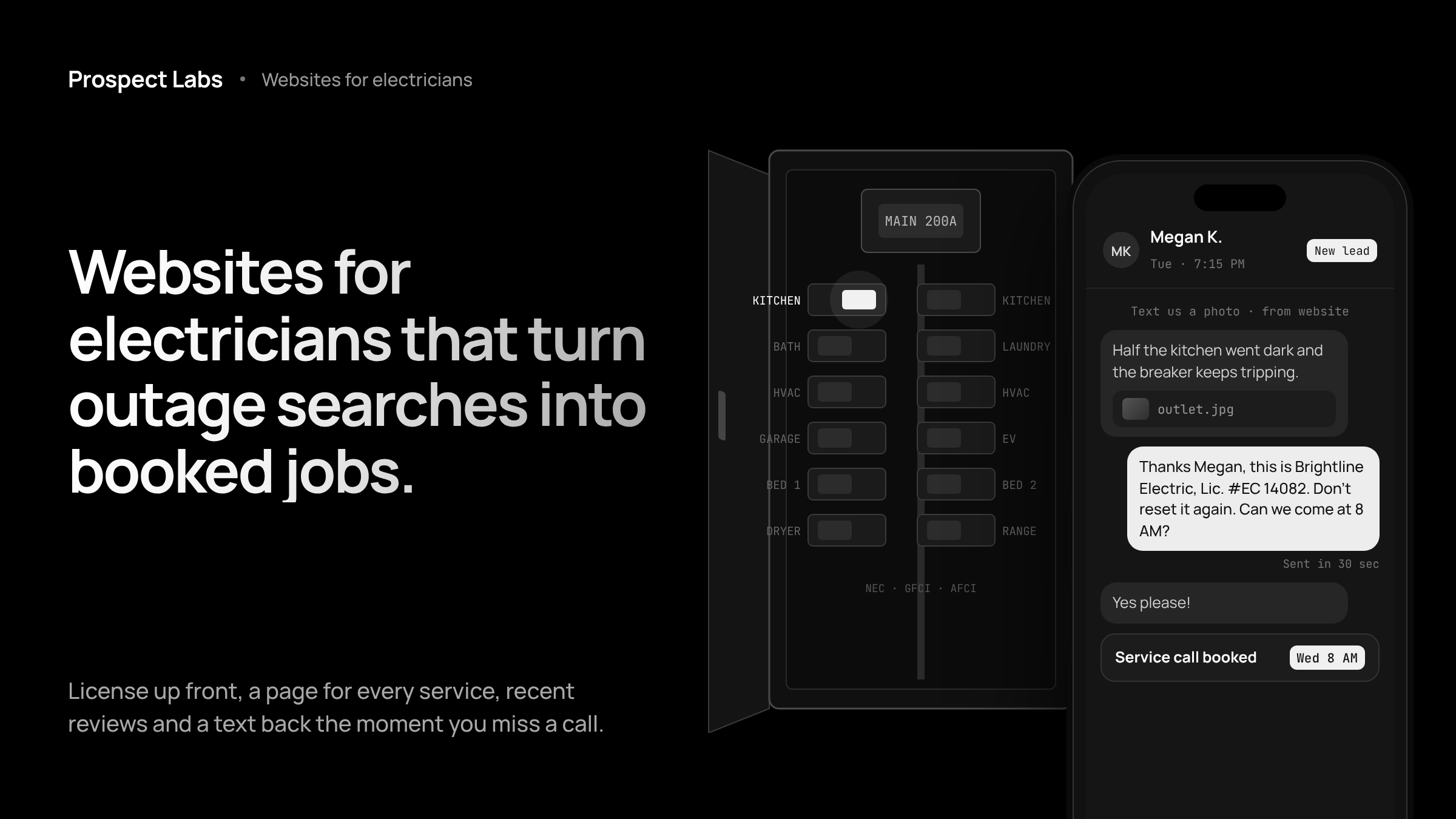

It’s 7:15 on a Tuesday evening in January. Half the kitchen just went dark, the breaker trips every time it’s flipped back, and there’s a faint smell of something warm coming from the outlet behind the toaster. The homeowner isn’t calling around for quotes. They grab their phone, type “electrician near me,” and open the first three results.
One site loads slowly and hides the phone number at the bottom. One shows a stock photo of a lightbulb and a contact form that promises a reply “within 48 hours.” The third shows a license number, 200 recent Google reviews, the words “Same day service in your area,” and a button that says Text us a photo.
You already know who gets the job.
That’s the whole point of this guide. Good websites for electricians aren’t online brochures. They’re the first conversation a scared or busy homeowner has with your business, and they decide whether you hear about the job at all.
Quick answer: A website for electricians is a mobile first site that proves your license and insurance, explains each electrical service on its own page, shows recent reviews, and lets a homeowner call or text in one tap. It should also text back missed calls automatically, so leads never go cold.
Below, we’ll cover what an electrician website must include, which service pages win searches, what it costs, how it gets found on Google, and what happens after a homeowner lands on it, which is where most electrical contractors quietly lose work.
What Is a Website for Electricians Supposed to Do?
A website for electricians has one job: turn a stranger with an electrical problem into a booked service call. Looking professional helps, but it’s only the entry ticket. The real work happens in the 30 seconds after someone lands on the page.
Think of it in three parts. First, it has to prove you’re safe to let into the house. Electrical work is the one trade where homeowners worry about fire, code violations and failed inspections, so credentials matter more than craftsmanship photos. Second, it has to answer the exact problem they searched for, whether that’s a tripping breaker, a 100 amp panel that can’t handle a new heat pump, or a Level 2 EV charger for the new car in the driveway. Third, it has to make the next step effortless, on a phone, with one thumb.
This is why we say most contractor websites look fine and do nothing. They tick the first box and skip the other two.
Why Do Electricians Need a Website When Referrals Keep Them Busy?
Because referrals look you up before they call. A neighbor can recommend you by name, and that homeowner will still Google you, scan your reviews and check that you look legitimate. If your site is thin, slow or missing, the referral leaks to whoever looks more trustworthy in that moment.
The numbers behind that behavior are hard to ignore:
| Fact | Figure | Source |
|---|---|---|
| Electricians working in the US | About 818,700 jobs (2024) | BLS Occupational Outlook Handbook |
| Projected growth in electrician jobs | 9% over the decade, much faster than average | BLS |
| Median annual wage for electricians | $63,190 (May 2025) | BLS |
| Consumers who read reviews for local businesses | 97% | BrightLocal Local Consumer Review Survey 2026 |
| Consumers who won’t use a business with fewer than 20 reviews | 47% | BrightLocal 2026 |
| Consumers who only care about reviews from the last 3 months | 74% | BrightLocal 2026 |
| Local searches that start on a mobile device | 73% | BrightLocal Local SEO Statistics |
| Consumers who compare three or fewer businesses before deciding | 72% | BrightLocal Local SEO Statistics |
| Consumers who decide in under 5 minutes | 28% | BrightLocal Local SEO Statistics |
| Consumers using AI tools like ChatGPT for local recommendations | 45%, up from 6% a year earlier | BrightLocal 2026 |
Read those together and a clear picture appears. More electricians are entering the trade every year, homeowners compare only a handful of them, and a big share decide in minutes, mostly on a phone. Your website is where that comparison happens.
What Should an Electrician Website Include?
A strong electrician website includes ten elements, and the first screen matters most. If a homeowner has to scroll to find your phone number or your license, you’ve already lost some of them.
- License number, insurance and bonding above the fold. Most states require electrical contractors to hold a state or local license. Put the number in the header or hero, not buried on an About page. Add “Licensed Master Electrician” if it applies.
- One tap call and one tap text buttons. A sticky button that stays on screen while scrolling. Many homeowners would rather text a photo of a scorched outlet than explain it on the phone.
- A clear emergency line. If you offer after hours or same day service, say so in plain words near the top, with the hours.
- A dedicated page for every service you want booked. Panel upgrades, EV charger installation, whole home rewiring and generator installation each have different searchers, different questions and different job values. One “Services” page with ten bullet points can’t rank for any of them.
- Service area pages. List the towns and neighborhoods you actually cover, with real local detail, not copy and paste pages with the city name swapped.
- Recent Google reviews. Pull your newest reviews onto the homepage and service pages. Remember, 74% of consumers only care about reviews from the last three months, so a steady flow matters more than a big old total.
- Real job photos. Your van, your crew, your panel swaps. Stock photos of lightning bolts make you look like everyone else.
- Safety and code language. Mention that work follows the National Electrical Code (NEC), that permits and inspections are handled, and that GFCI and AFCI protection is installed where required. This answers the fear behind the search.
- Financing and upfront pricing cues. Panel upgrades and rewires are big tickets. A short line on financing or how quotes work removes a reason to hesitate.
- Speed and mobile performance. The site should load fast on a phone over a weak signal. Every extra second is a homeowner tapping back to the search results.
The last piece most electrical contractors miss isn’t on the page at all. It’s what happens when you can’t answer. That’s why every Prospect Labs build includes missed call text back and an all in one inbox, so a homeowner who calls while you’re in a crawlspace hears from you in seconds. We cover the same principle for another emergency trade in our guide to HVAC website design.
Which Service Pages Does an Electrician Website Need?
An electrician website needs one service page for each job type you want more of, written around what that searcher is worried about. Here’s how the most common pages break down:
| Service page | What the homeowner searches | What the page must answer | Typical job size |
|---|---|---|---|
| Emergency electrician | “emergency electrician near me”, “power out in half my house” | Can you come today? What does a call out cost? Is it dangerous? | Small to medium |
| Panel upgrade | “200 amp panel upgrade cost”, “replace fuse box” | Do I need one? Permits? How long will power be off? | Large |
| EV charger installation | “Level 2 charger installation”, “Tesla wall connector installer” | Will my panel handle it? Rebates? Garage or driveway? | Medium |
| Whole home rewiring | “rewire old house”, “knob and tube replacement” | How disruptive is it? Drywall repair? Insurance issues? | Large |
| Generator installation | “whole home generator installer”, “standby generator” | What size? Transfer switch? Gas line coordination? | Large |
| Lighting and fixtures | “recessed lighting installation”, “ceiling fan install” | Price per fixture? Dimmers? Same day? | Small |
| Outlets, switches and GFCI | “outlet not working”, “GFCI keeps tripping” | Is it safe to wait? Quick fix or bigger problem? | Small |
| Commercial electrical | “commercial electrician”, “tenant improvement electrical” | Licensing, insurance limits, after hours work, past projects | Medium to large |
Start with the two or three pages that carry your highest margin, then build outward. A panel upgrade page that ranks in your town can be worth more than the rest of the site combined.
How Do Residential, Commercial and Emergency Electricians Build Their Sites Differently?
The best electrician website design starts from the kind of work you want, not from a template. A solo residential electrician, a 24/7 emergency shop and a commercial contractor bidding on fit outs need very different first screens. Here are four example blueprints:
| Example business | Main goal of the site | What goes on the first screen | Key pages | Best conversion action |
|---|---|---|---|---|
| Solo residential electrician | Fill the calendar with repair and upgrade work in a tight radius | License number, service towns, top 3 reviews, text us button | Repairs, panel upgrades, lighting, service areas | Text a photo of the problem |
| 24/7 emergency electrical company | Win the call before a competitor answers | “Available now” banner, phone number, response time, hours | Emergency electrician, power outage, burning smell, storm damage | Tap to call with missed call text back |
| EV charger and solar ready specialist | Capture homeowners buying new electric vehicles | Charger brands installed, rebate note, panel capacity check | EV charger installation, panel upgrade, load calculation | Short quote form with car model and panel photo |
| Commercial electrical contractor | Get on bid lists and win repeat facility work | Project types, insurance limits, safety record, past clients | Tenant improvements, service contracts, project gallery | Request a bid or schedule a walkthrough |
You can see real examples of how we lay out contractor builds on our Our Work page. The pattern is the same as in our roofing website design guide: lead with proof, answer the specific problem, and make contact a single tap.
How Does an Electrician Website Get Found on Google?
An electrician website gets found on Google through three connected pieces: the site itself, your Google Business Profile, and your reviews. None of them works well alone.
The site. Every service page should target one job and one intent, with the service name in the page title, the H1 and the URL. Add service area pages for the towns you cover. Use schema markup, including the schema.org Electrician type, with your name, address, phone number and service area so search engines understand exactly what you are.
Google Business Profile. This is what shows in the map pack when someone searches “electrician near me.” Pick “Electrician” as your primary category, add secondary categories that match your service pages, upload real job photos and keep your hours accurate. Make sure your name, address and phone match your website exactly.
Reviews. Review count, rating and freshness all feed local rankings, and they’re what homeowners judge you on once they find you. This is the part most electricians neglect, because asking feels awkward after a long job. A one click review request sent automatically fixes that.
One more channel is worth a mention. Google Local Services Ads put a “Google Screened” badge above the regular results for many electrical searches. They can work well, but they send people to your profile, and those people still check your website and reviews before booking.
At Prospect Labs, local SEO is built in from day one: keyword research, on page SEO, service area pages, a fast load and regular updates. It’s stage one of the seven stage marketing system we build for contractors.
SEO takes time, and anyone who promises page one in 30 days is guessing. Where you rank still depends on local competition, how long the site has been live and how many recent reviews you have.
Why Do Electrician Websites Lose Jobs After the Click?
Most electrician websites lose jobs after the click because nothing happens when the electrician is busy. The site gets the visit, then the homeowner calls, you’re on a ladder with both hands full, and the call rings out. They don’t leave a voicemail. They call the next name on the list.
We see four leaks over and over:
- Missed calls. No voicemail, no callback for hours, and the job is gone.
- A passive website. No easy way to text or ask a quick question, so visitors leave.
- Reviews never asked for. Happy customers mean to leave one. Without a nudge, they don’t.
- Past customers forgotten. The homeowner whose panel you upgraded two years ago will need an EV charger or a generator next. If they can’t remember your name, someone else gets it.
Here’s the difference between a website on its own and a website that’s part of a system:
| The moment | Just a website | A website plus a marketing system |
|---|---|---|
| A homeowner visits | They look around, can’t find an easy next step and leave | They text you in one tap and it lands on your phone |
| You miss a call | It rings out and they call another electrician | They get a text in your business name straight away |
| A lead goes quiet | Nobody notices | Automatic follow ups keep the conversation going |
| The job is finished | You mean to ask for a review and forget | A one click review request goes out, with reminders |
| Six months later | The customer forgets your name | A referral or return customer campaign brings them back |
That right hand column is what we mean by a website that keeps selling while you’re on the job.
How Much Does a Website for Electricians Cost?
A website for electricians costs anywhere from about $20 a month for a DIY builder to $10,000 or more for a custom agency build. The bigger question is what the price includes after launch. Typical US ranges look like this:
| Option | Upfront cost (approximate) | Monthly cost (approximate) | What you usually get | What’s usually missing |
|---|---|---|---|---|
| DIY website builder | $0 to a few hundred dollars | $20 to $50 | A template you build yourself | Your time, SEO, lead follow up, reviews |
| Freelance web designer | $1,500 to $5,000 | $0 to $100 for hosting | A custom looking site, handed over | Updates, missed call handling, review requests |
| Traditional agency build | $5,000 to $15,000+ | $500 to $2,000+ for SEO or retainers | Custom design and often SEO | Often long contracts, tools sold separately |
| Prospect Labs | One time setup fee, depending on design level | $297 a month, month to month | Website, missed call text back, review funnel, lead follow up, campaigns, inbox, business phone, local SEO | Nothing locked in, cancel with 30 days’ notice |
Do the math on one job. If your average service call or upgrade is worth $1,200, a $297 monthly system pays for itself with about a quarter of one job. That’s simple arithmetic on your number, not a promise of results.
How Do You Choose the Right Company to Build Your Electrician Website?
Choose a company that can show you how its websites book jobs, not just how they look. Before you sign anything, ask these questions:
- What happens when I miss a call from the website?
- How do you get me more recent Google reviews?
- Will I get a separate page for each electrical service and each town I cover?
- Who updates the site after launch, and does it cost extra?
- Is there a long term contract, and what do I keep if I leave?
- Can you show me live accounts from other contractors?
If the answers are vague, keep looking. We wrote a full breakdown of red flags in our guide on how to choose a contractor marketing agency.
How Fast Can a New Electrician Website Go Live?
With Prospect Labs, a new electrician website goes live in 7 to 10 days and takes about 60 minutes of your time. The process has three steps:
- Strategy call (60 minutes). We review your current site, reviews and how calls are handled today, and show you a free design preview.
- We build it (7 to 10 days). You fill out one onboarding form and send your logo and job photos. We design the site, write the automated messages, connect your business line and set up reviews and campaigns.
- Launch call (25 minutes). We walk you through where messages arrive, how to send a review request and how to switch on a campaign. Mostly, it’s two buttons.
Frequently Asked Questions About Websites for Electricians
Do electricians really need a website if they’re on Google Maps?
Yes. Your Google Business Profile gets you found, but most homeowners click through to your website to check your license, services and reviews before they call. Without a site, you lose the ones who want more proof.
How many pages should an electrician website have?
At minimum: a homepage, one page per core service, a page for each main service area, a reviews page, an about page and a contact page. Most residential electricians end up with 15 to 30 pages.
What is the best website builder for electricians?
The builder matters less than what’s connected to it. A DIY builder can look fine, but it won’t text back missed calls, request reviews or follow up leads unless you add and manage those tools yourself.
Should I show my electrical license number on my website?
Yes. Put it in the header or footer of every page. Homeowners and inspectors look for it, and it’s one of the fastest trust signals an electrical contractor can show.
How long does it take an electrician website to rank on Google?
Usually a few months for local service terms, longer in competitive cities. Rankings depend on local competition, the age of your site, and how many recent reviews you have.
I already have a website. Do I need a new one?
Maybe not the design, but almost certainly the system behind it. The real question isn’t how your site looks. It’s what happens after someone lands on it.
About Prospect Labs
Prospect Labs builds website design and marketing systems for contractors across the US, including electricians, HVAC companies, plumbers and roofers. Every build includes a mobile first website, missed call text back, a 5 star review funnel, automated lead follow up and local SEO, for $297 a month with no long term contract.
Want to see where your current site is leaking jobs? Book a free 60 minute strategy call and we’ll show you a free design preview of your new electrician website.